

Modern CAD Solutions.
And support that helps you move forward.
For over 20 years, we’ve been helping firms work faster and reduce costs with the right CAD software.
What would you like to do today?
CAD Deutschland by the Numbers
From 2D to 3D.Ideas become projects.
Products
The right software for your project.
BricsCAD as a platform, plus specialized solutions for architecture, point clouds, geodata, and civil engineering. Not sure which one is right for you? The product finder can help you decide in two minutes.
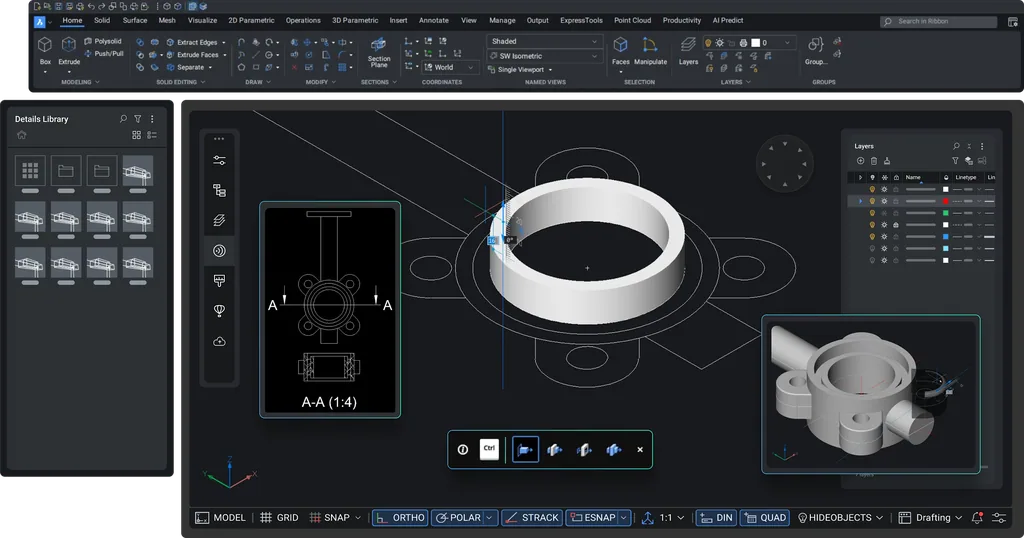 PlatformBricsCAD®2D and 3D in the familiar DWG format. Lite, Pro, BIM, Mechanical, and Ultimate.Learn more →
Point cloudsmorphcadHighly accurate models from point clouds—with just 11 commands.
Existing & New ConstructionBauCaDAnalyze point clouds in 2D, 3D, and BIM.
Laser scanLeica CloudWorxEdit laser scan data directly in CAD.
Architecture & Building ServicesCADprofiArchitecture, HVAC, Electrical, and Mechanical.
GeodataSpatial ManagerImport, export, and manage geodata.
GIS & SurveyingGeoToolsTools for GIS, surveying, and cartography.
Civil EngineeringcseToolsCAD-based sewer and pipeline design.
ProductivityCADPowerOver 400 tools for faster drafting.
Services
More than just software: we make your team stronger.
Consulting, support, training, development, and Scan-to-BIM—individually or as a package.

Consulting & Support
Quick support in English and German—by ticket, email, and remote support over Teams. For BricsCAD, Spatial Manager, morphcad, and CADprofi.
Learn more
Training Courses
From beginner to professional: basics, advanced courses, crash courses and workshops – live online with a trainer in English, also as Flex training (4 hours in the morning), with a certificate.
Learn more
Developer Services
Plugins, interfaces, and automation, tailored to your CAD environment.
Learn moreWorkflow Analysis
We identify the time-wasters in your CAD processes—regardless of the software vendor—and show you how to speed things up.
Learn more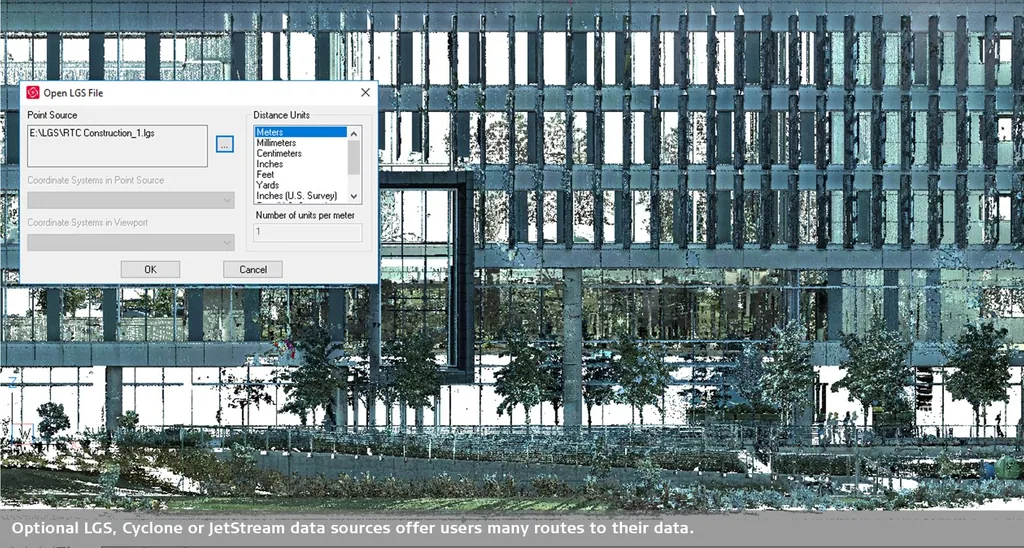
Scan-to-BIM
Your point clouds are transformed into precise BIM models—for Revit, BricsCAD BIM, Archicad, or IFC.
Learn moreService & Support
Support hours whenever you need them.
For installation, setup, technical questions, and consulting. Billing is in 15-minute increments; the quota is valid for 12 months.
- Ideal for individual questions
- 10% discount on training courses
- For migration and setup
- 10% discount on training courses
- Best hourly rate for teams
- 10% discount on training courses
Customer Testimonials
What Customers Say About Us
“The training helped me expand my knowledge of BricsCAD, which has made my work easier. I’m already looking forward to the next training session!”
“It was explained well, and then we tried it out and practiced. Questions were answered effectively. Plus, we received lots of tips and information.”
“A structured approach, strong technical expertise, and a good balance between explanations and exercises.”
“The instructor was very organized, well-prepared, addressed all questions in detail, and, if he didn’t know the answer right away, found it during the breaks.”
“For me, it was supposed to be a refresher on AutoCAD and a chance to learn about the similarities to BricsCAD—and that’s exactly what I got.”
“The well-structured instruction throughout the entire training. Questions were answered competently and promptly. All in all, a very good training course.”
“They addressed my specific questions directly. The experience was pleasant and friendly—which isn’t always a given these days.”
“Ideal for anyone new to the world of 3D. All the basics, tips, and tricks are explained in detail, and all questions are answered.”
FAQ
Frequently Asked Questions
Can’t find your question here? Just ask us via chat.
What CAD software does CAD Deutschland offer?
BricsCAD in all editions (Lite, Pro, BIM, Mechanical, Ultimate) plus specialized add-ons such as CADprofi, morphcad, Spatial Manager, cseTools, BauCaD, Leica CloudWorx, CADPower, and GeoTools.
Can you help me choose the right software?
Yes, it’s free. Launch the product finder or book a 15-minute initial consultation—we’ll recommend only what fits your work.
How do I order a license?
Shop directly: Select a product, add it to your cart, and place your order. You’ll receive your license via email. For a custom quote, simply contact us.
What payment methods are available?
In the online store, you can pay via PayPal, prepayment, or invoice, among other options.
Can I try BricsCAD before buying it?
Yes. You can try BricsCAD for free for 30 days. We’re happy to help you get set up.
How do I contact technical support?
Via the support chat here on the website or by email to support@cad-deutschland.de. For personalized assistance via remote support, check out our support packages.
How do I renew or upgrade my license?
You can renew rental licenses in the store. For purchased licenses, you can upgrade to the latest version via an upgrade or maintenance contract—we’ll let you know which option is best for you.
Can I transfer a license to another PC?
Yes. Single-user licenses can be deactivated on the old computer and activated on the new one. Network licenses are managed centrally via the license server.
Do you offer training courses?
Yes: live online training with a trainer in English, also as Flex training (4 hours in the morning), e-learning and online in-house training – from the basics to BIM, with a certificate.
Do you offer Scan-to-BIM?
Yes. We create precise BIM models and plans from your point clouds—for Revit, BricsCAD BIM, Archicad, or IFC.

Let’s talk about your project.
15 minutes, free of charge and with no obligation: We’ll show you which solution is right for your work.